Set it once
Add a client, pick the day of the month, and list what recurs. Track consulting work and client costs separately so each is ready for review.
SamePocket is bookkeeping for solo consultants who never actually kept two wallets. It sorts business and household activity as you go — so your year stays organized for Schedule C review.
We save your email and limited referral information only to manage early access. No newsletter. Privacy details.
Not because you're careless. Because you're one person.
The client dinner goes on the card that also bought groceries. The LLC covers a subscription you also use on weekends. A personal card buys the monitor you work on every day, because it was Tuesday and you needed a monitor.
Most bookkeeping software treats that as a mistake to be corrected. It wants two clean columns, and it makes you feel behind every time reality doesn't cooperate.
SamePocket starts from how the money actually moves. One pocket, two purposes, sorted as you go — so the separation exists in your books and is ready for review at tax time.
Many solo consultants report activity from a disregarded single-member LLC on Schedule C. SamePocket is designed around that common workflow without deciding your filing treatment for you.
Your entity election, activities, and individual facts still matter.
Automation does the repeat work. You still make every call that matters.
Add a client, pick the day of the month, and list what recurs. Track consulting work and client costs separately so each is ready for review.
On the day, SamePocket prepares the invoice and tells you. It does not send. Nothing ever leaves without you looking at it.
Review the draft and add this month’s one-off charges. SamePocket saves your approved version locally; nothing is sent or changed in Nickel.
Create or send the invoice in Nickel. SamePocket can then read invoice and bill status through a connection that cannot create, edit, send, pay, refund, or delete anything.
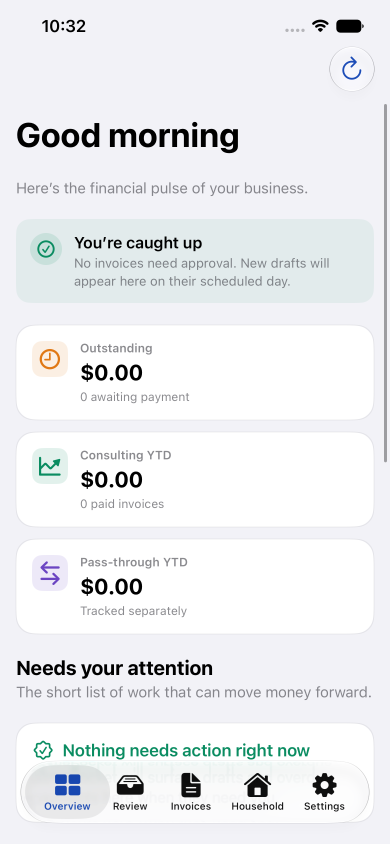
You should be able to open it, see what needs you, and close it again.
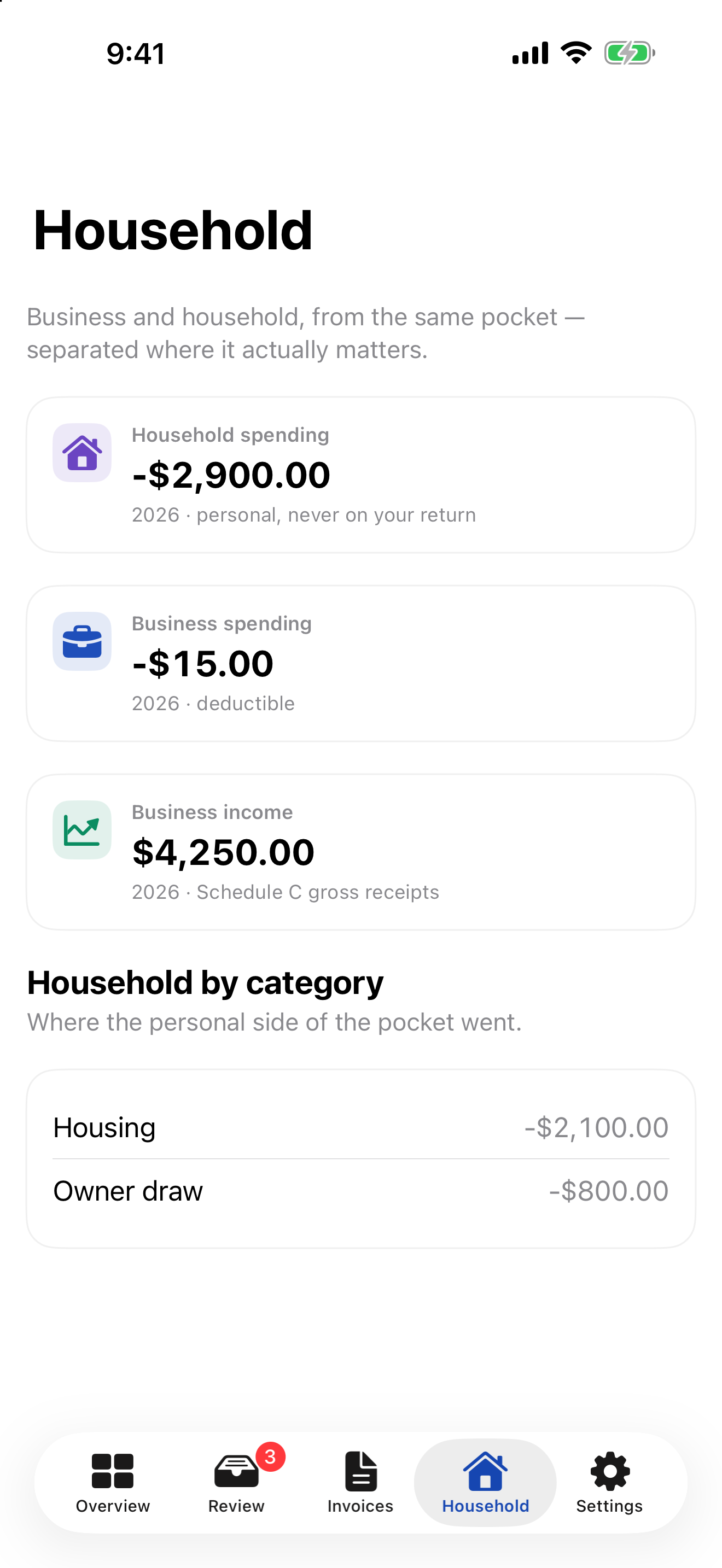
Review household and business activity together, then keep business records organized for Schedule C review.
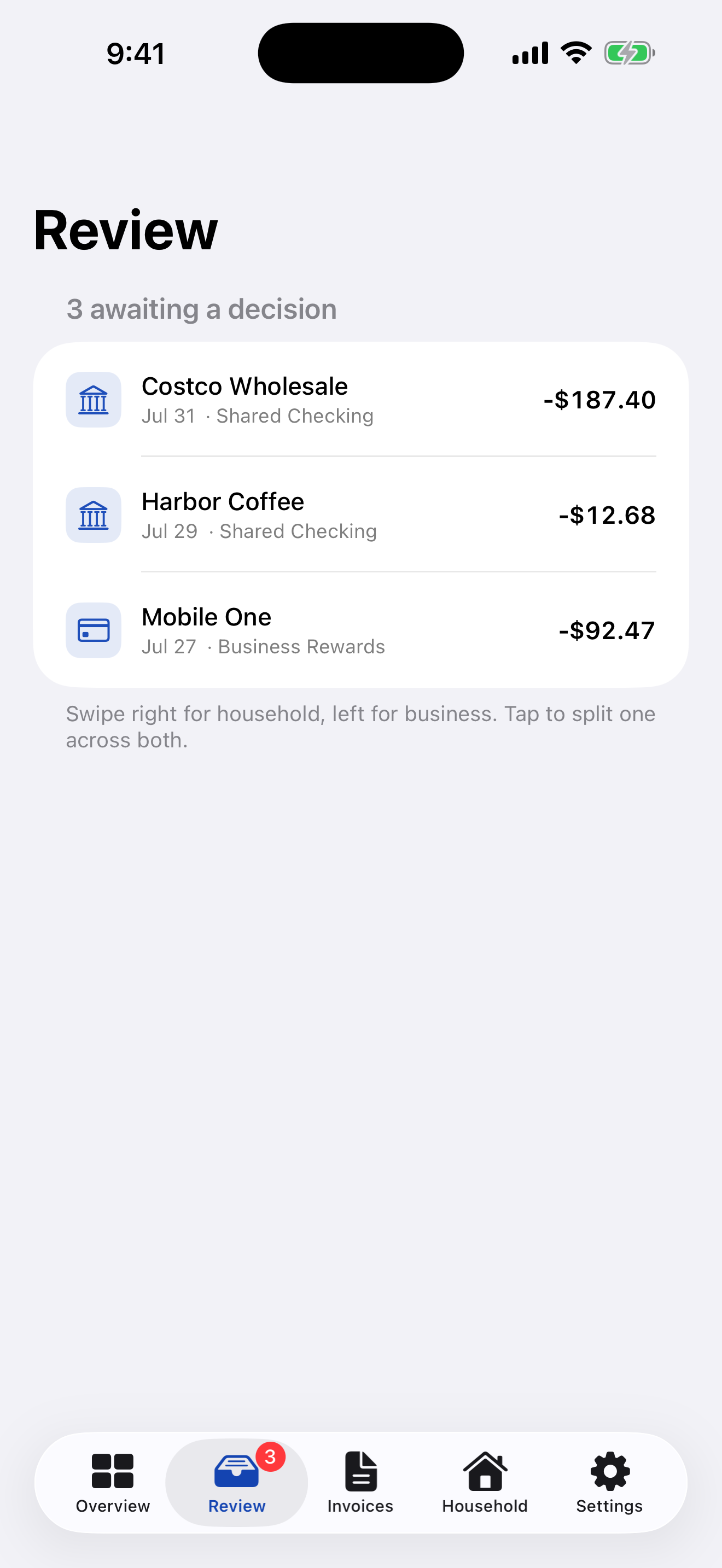
Shared transactions wait in one calm queue. Swipe the obvious ones into household or business, and tap anything mixed.
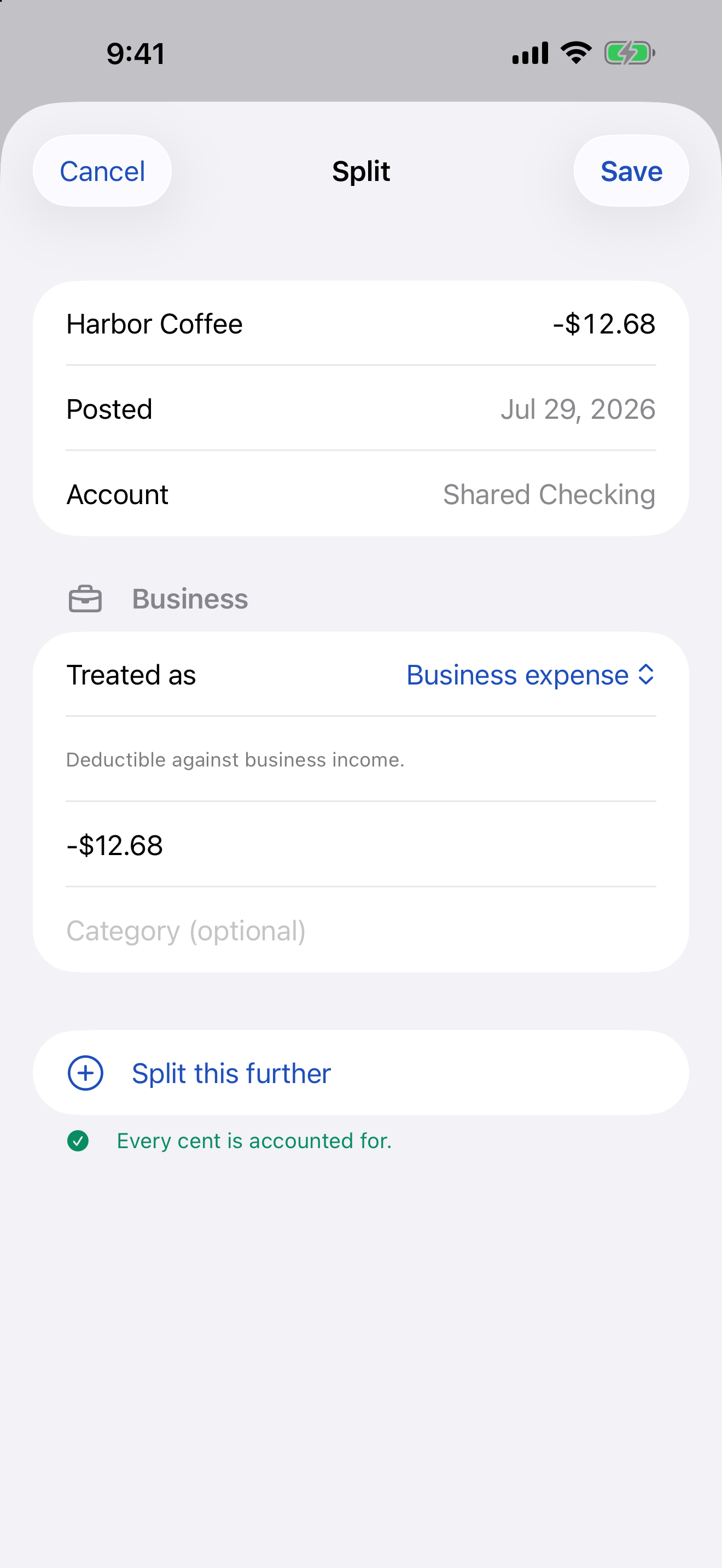
Put one real transaction across both books without duplicating it. SamePocket will not save until every cent is accounted for.
Because it's the part that decides whether the rest was worth doing.
Client costs stay visible and separate. Track reimbursed costs apart from consulting income so you and your preparer can review the facts and apply the right accounting and tax treatment.
Invoice status stays reviewable. A read-only Nickel Plus connection can summarize invoices and bills without moving money or changing provider records; deposit matches remain suggestions for you to confirm.
Exports made for a handoff. Create TXF, PDF, and CSV records for review with supported tax software or your preparer. Import formats and software support can change, so verify the result before filing.
The paperwork lives with the books. 1099s and your W-2 stored alongside the year they belong to, so filing doesn't start with a search through your email.
SamePocket is being built by a solo consultant who got tired of doing this in a spreadsheet every April. If that sounds like your situation, early access starts with the people it's actually for.
We save your email and limited referral information only to manage early access. No newsletter. Privacy details.